
How to Switch to Another OnStyle Trial Edition
Unfortunately, you cannot use two different editions parallelly at the same time. Please install only one of the editions and when you want to switch to the other, please follow these instructions carefully.
Uninstalling the Current Configuration:
Section titled “Uninstalling the Current Configuration:”Step 1 – Open Add or Remove Programs
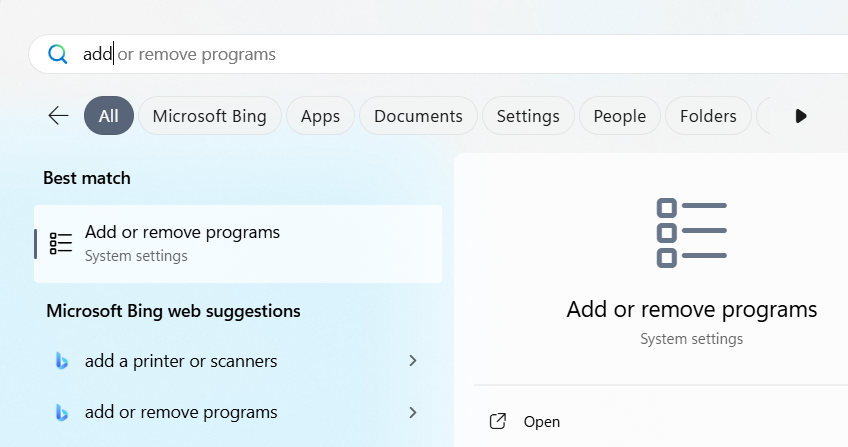
Section titled “Step 1 – Open Add or Remove Programs”- Launch the Add or remove programs function of Windows.
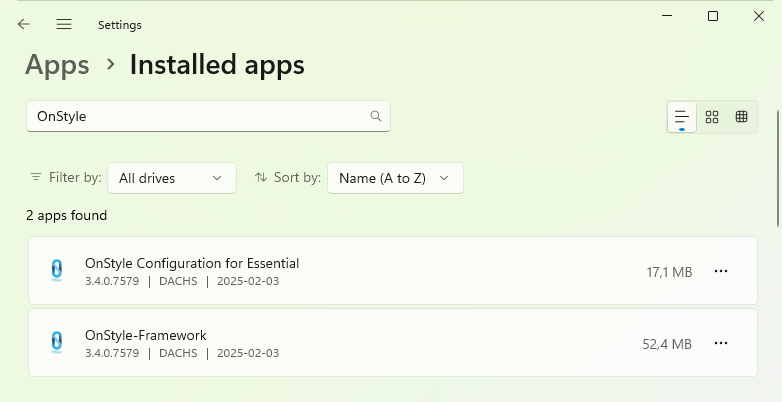
- In the Apps > Installed apps window, type “OnStyle” to filter the field.
Step 2 – Uninstall the Configuration
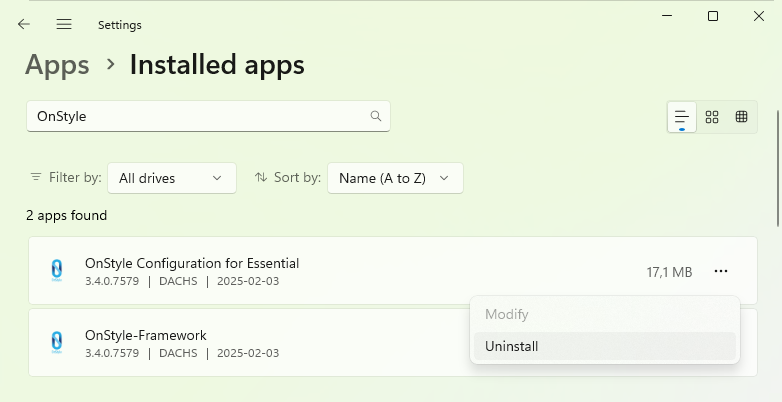
Section titled “Step 2 – Uninstall the Configuration”Select the proper version of OnStyle-Configuration (whichever is already installed on your computer) and choose Uninstall.
Installing the Other Configuration
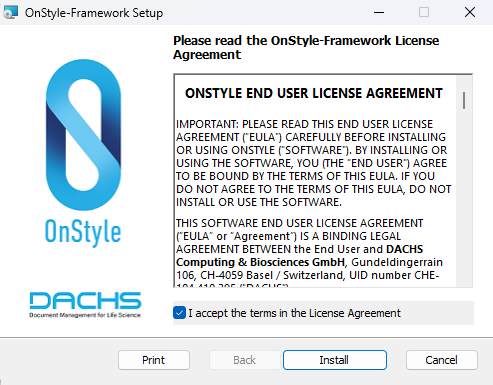
Section titled “Installing the Other Configuration”Open the secondary OnStyle edition’s ZIP package and install the included OnStyle-Configuration.
After this you will be able to use the feature-set of the newly installed edition.
How Your Trial Period Works
Section titled “How Your Trial Period Works”Your trial lasts for 14 days, regardless of changing the edition you test (i.e., if you use Essential for 6 days, then change to Professional, it will operate for the remaining 8 days). The switching of editions is not definitive. You may go back and forth as you wish.
Do you need more time to experiment with OnStyle? We completely understand. Contact us at services@onstyle.ch and ask for an extension on your trial free of charge.